
 Read More
Password security remains critical despite emerging technologies like biometric authentication and passkeys. Most online accounts still rely on traditional passwords. Understanding password security important principles protects your personal information and digital identity.This comprehensive guide reveals the latest password security best practices for 2026. You’ll discover how to create secure passwords, choose the right password manager, and implement multi-factor authentication effectively.
Current Password Security Landscape in 2026
The digital threat environment has evolved dramatically. Cybercriminals now use artificial intelligence to launch credential stuffing attacks at unprecedented scale. Data breaches expose billions of user credentials annually.
Recent studies show that 80% of data breaches involve compromised passwords. Weak passwords remain the primary vulnerability exploited by hackers. The average person maintains accounts across 100 different platforms.
Password reuse across multiple accounts amplifies risk exponentially. When one account gets compromised, hackers test those credentials everywhere. This domino effect leads to widespread identity theft and financial losses.
Key Threat: AI-powered password cracking tools can test billions of password combinations per second. Traditional 8-character passwords can be cracked in hours rather than days.
Indian users face specific challenges. Phishing attacks targeting Indian consumers increased 150% in 2025. Cybercriminals exploit familiarity with local brands and payment systems to steal credentials.
The rise of cryptocurrency and digital payment platforms creates new attack surfaces. Hackers specifically target financial accounts where password security lapses result in immediate monetary theft.
Why Password Security Important in the Digital Age
Every account you create stores sensitive data. Email accounts contain password reset links for other services. Social media profiles reveal personal information hackers use for targeted attacks.
Banking and payment apps directly connect to your finances. One compromised password can drain accounts within minutes. Recovery processes take weeks and may not restore all losses.
The consequences extend beyond immediate financial damage. Identity theft affects credit scores for years. Stolen credentials get sold on dark web marketplaces, perpetuating ongoing security risks.
Personal Impact
Individual users face direct consequences from compromised passwords:
- Financial losses from unauthorized transactions
- Identity theft and credit damage
- Loss of access to critical accounts
- Privacy violations and data exposure
Business Impact
Organizations suffer even greater consequences:
- Data breaches affecting customer information
- Regulatory fines and legal liabilities
- Reputation damage and customer trust erosion
- Operational disruptions and recovery costs
System-Wide Risks
Weak password security creates cascading vulnerabilities:
- Lateral movement across connected accounts
- Credential stuffing attacks affecting multiple platforms
- Social engineering opportunities for attackers
- Compromised backup and recovery systems
Long-Term Consequences
The effects of password breaches persist:
- Years of credit monitoring requirements
- Permanent loss of irreplaceable data
- Ongoing vulnerability to targeted attacks
- Psychological stress and anxiety
Security experts emphasize that prevention costs far less than recovery. Strong password security practices protect against most common attack vectors that hackers exploit.
Best Practices for Creating Strong Password Protection
Creating secure passwords requires more than adding numbers to common words. The strongest passwords combine length, complexity, and unpredictability in ways that resist both human guessing and automated cracking attempts.
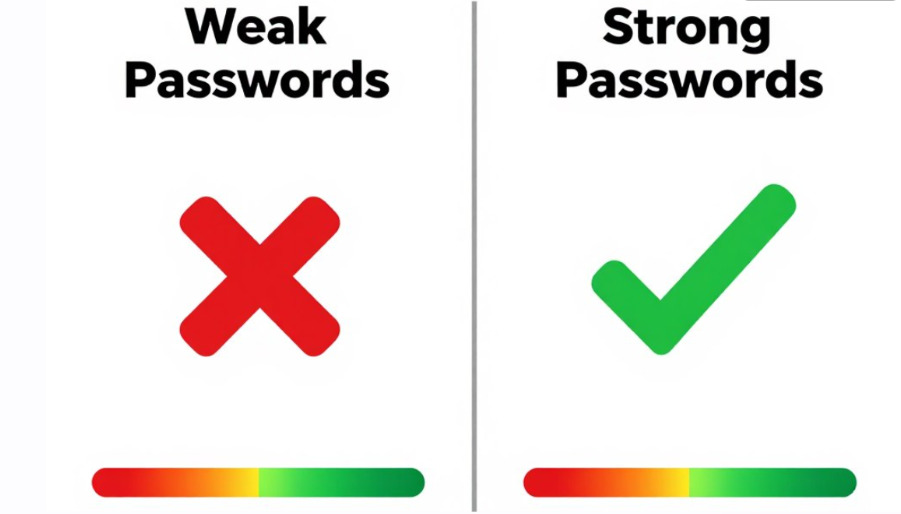
Modern password security recommendations have evolved significantly. Experts now prioritize length over complexity. A 16-character password of random words proves stronger than an 8-character jumble of symbols.
Essential Password Length and Complexity Requirements
Your password should contain at least characters long minimum. Aim for 16 or more characters when possible. Each additional character exponentially increases cracking difficulty.
Combine uppercase lowercase letters with numbers and special symbols. This character diversity forces attackers to test far more combinations. A truly random arrangement resists dictionary attacks effectively.
Core password creation rules:
- Minimum 12 characters, ideally 16 or more
- Mix uppercase and lowercase letters throughout
- Include numbers in non-predictable positions
- Add special characters like !@#$%^&*
- Avoid personal information (names, birthdays, addresses)
- Never reuse passwords across different accounts
- Skip common word substitutions (@ for a, 3 for e)
- Don’t use sequential patterns (123456, abcdef)
Unique Passwords Across Different Platforms
Each account requires a completely unique password. Password reuse turns one breach into many. Hackers automatically test stolen credentials across different platforms.
Banking passwords need particular attention. Financial accounts should never share passwords with social media or shopping sites. This isolation limits damage if one service gets compromised.
Password Strength Example: “Tr0ub4dor&3” (11 characters, mixed) = 3 days to crack. “correct horse battery staple” (28 characters, spaces) = centuries to crack. Length matters more than complexity.
Passphrase Method for Memorable Security
Passphrases offer both security and memorability. String together four or five random words with spaces or symbols between them. This creates passwords that are both long and memorable.
Example approach: Select random words from different categories. “Mango$Laptop!Sunset7Temple” combines food, technology, nature, and architecture. Each word adds length while remaining personally memorable.
Avoid famous quotes or song lyrics. These appear in password dictionaries that hackers use. True randomness in word selection provides the strongest protection.
Password Manager: Your Essential Security Tool
A password manager solves the impossible challenge of remembering dozens of unique, complex passwords. These tools securely store passwords, generate strong credentials automatically, and synchronize across devices seamlessly.
Password managers encrypt your data using military-grade algorithms. Only you hold the master password that unlocks your vault. Even the password manager company cannot access your stored credentials.
How Password Managers Enhance Security
The best password managers do more than store passwords. They identify weak passwords in your existing accounts. They alert you when data breaches compromise your credentials.
Automatic password generation removes human predictability. Password managers create truly random passwords that resist all cracking methods. Each account gets a unique, maximum-strength credential.
Key password manager features in 2026:
- Military-grade encryption (AES-256) for stored data
- Automatic password generation with customizable rules
- Cross-platform synchronization across devices
- Biometric authentication for quick access
- Secure password sharing for family or team members
- Dark web monitoring for compromised credentials
- Automatic form filling to prevent keylogger attacks
- Emergency access features for trusted contacts
Choosing the Right Password Manager in 2026
Several reputable password managers serve Indian users effectively. Consider factors like platform compatibility, pricing, and security features when selecting your manager.
Cloud-based managers offer convenience through automatic synchronization. Local storage options provide additional security for users who prefer keeping data on their own devices.
Use password manager features progressively. Start by storing existing passwords. Gradually update weak passwords using the generator. Enable auto-fill carefully after verifying each saved credential.
Master Password Security: Never store your master password anywhere digitally. Write it down and keep it physically secure. Consider splitting it between two secure locations for recovery purposes.
Multi-Factor Authentication: Essential Layer of Security
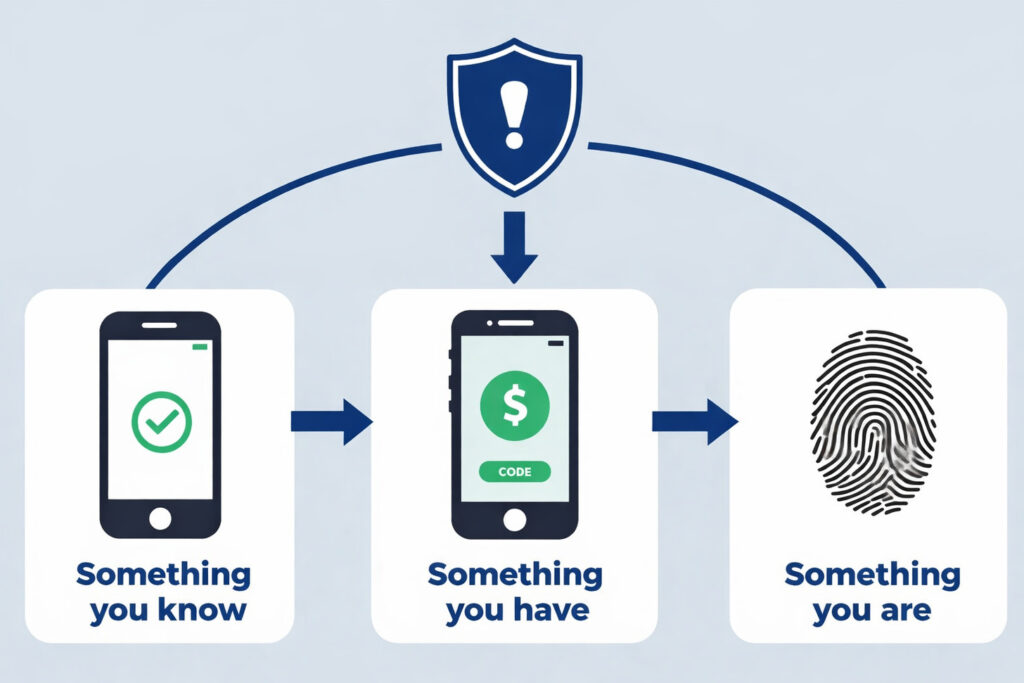
Multi-factor authentication (MFA) adds critical protection beyond passwords alone. Even if hackers obtain your password, MFA blocks unauthorized access through additional verification requirements.
MFA works by requiring two or more authentication factors. These include something you know (password), something you have (phone), and something you are (fingerprint). Combining factors dramatically reduces breach risk.
Types of Multi-Factor Authentication Methods
SMS-based codes represent the most common MFA method. Your phone receives a temporary code during login. This proves you physically possess the registered device.
Authenticator apps provide stronger security than SMS. Applications like Google Authenticator or Microsoft Authenticator generate time-based codes offline. These resist SIM-swapping attacks that compromise SMS security.
Implementing MFA Across Your Online Accounts
Prioritize MFA activation on critical accounts first. Banking, email, and payment platforms deserve immediate attention. These accounts control access to other services through password resets.
Most platforms now offer MFA in security settings. The setup process takes minutes but provides lasting protection. Enable MFA wherever available, even for seemingly less important accounts.
MFA implementation priority order:
- Primary email accounts (control password resets)
- Banking and financial services
- Payment platforms (PayPal, payment apps)
- Social media accounts (prevent impersonation)
- Cloud storage services (protect sensitive data)
- Work and professional accounts
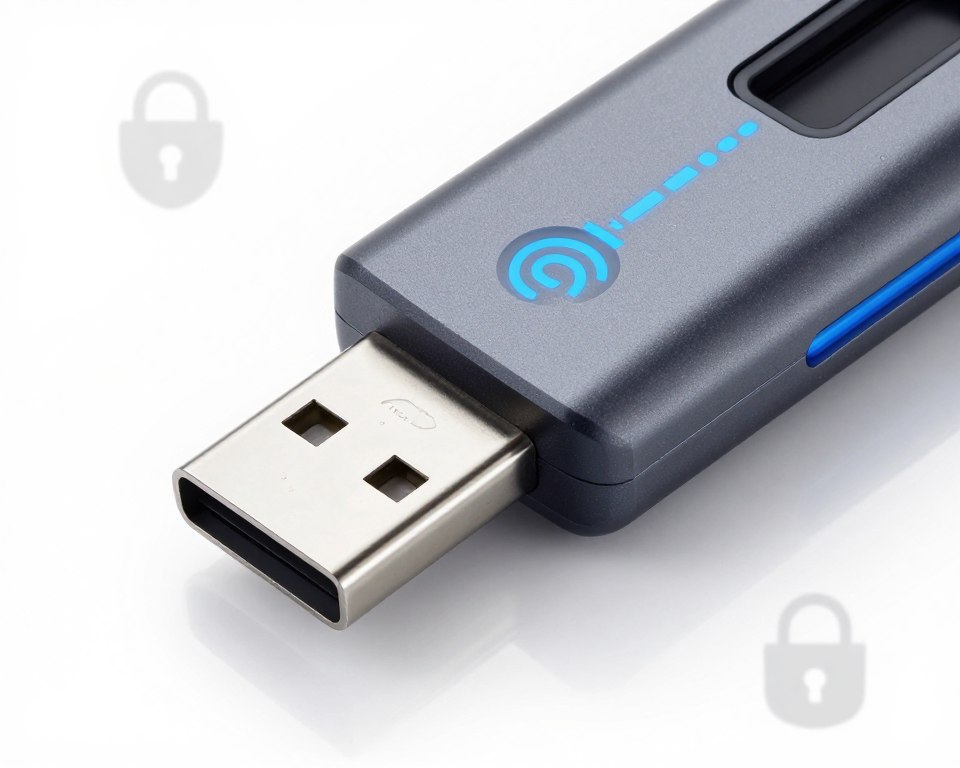
Hardware security keys offer maximum security for high-value accounts. These physical devices connect via USB or NFC. They cannot be phished or intercepted remotely.
Password Policies for Organizations and Businesses
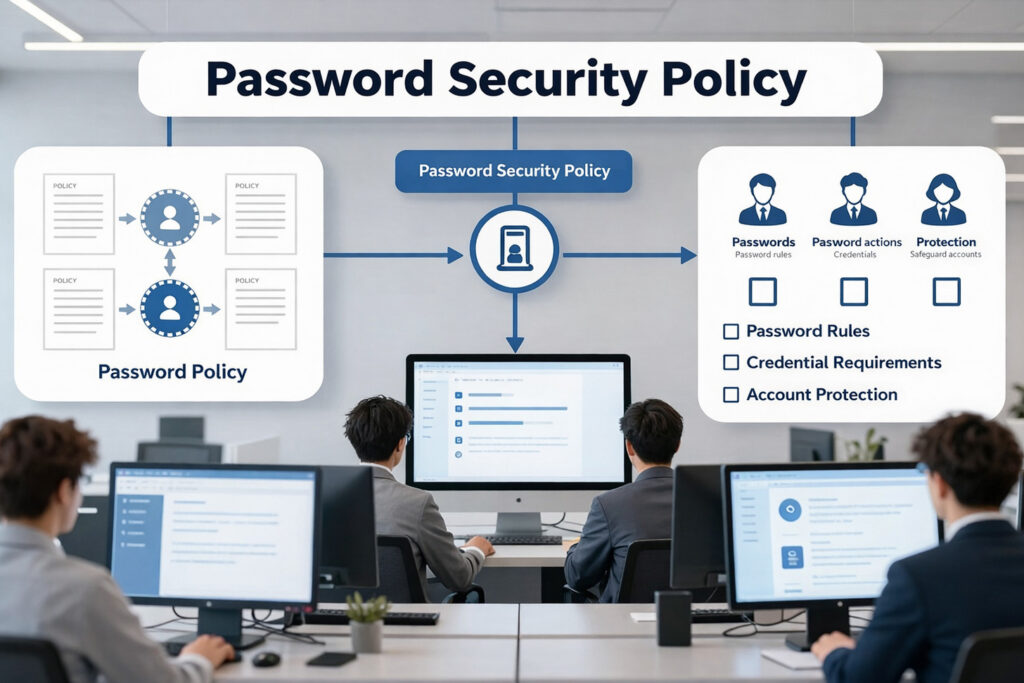
Organizations face amplified password security risks. One compromised employee account can expose entire networks. Strong password policies protect both company data and customer information.
Effective enterprise password policies balance security with usability. Overly complex requirements lead to workarounds that decrease actual security. Smart policies encourage good habits while preventing common mistakes.
Core Enterprise Password Policy Requirements
Mandate minimum password lengths of at least characters for all employee accounts. Require regular password updates quarterly or semi-annually. Prohibit password reuse across business systems.
Implement account lockout policies after failed login attempts. This prevents brute-force attacks against employee accounts. Set the threshold at 5-10 attempts before temporary lockout.
| Policy Element | Recommended Setting | Security Impact |
| Minimum Length | 14 characters | High resistance to brute force |
| Complexity Requirements | 3 of 4 character types | Prevents dictionary attacks |
| Password Expiration | 90-180 days | Limits breach window |
| Password History | Remember last 10 | Prevents password cycling |
| Account Lockout | 5 failed attempts | Blocks brute force attacks |
| MFA Requirement | Mandatory for all users | Critical secondary defense |
Enterprise Password Manager Deployment
Provide enterprise password managers to all employees. Centralized password management improves security while simplifying user experience. IT departments gain visibility into password health across the organization.
Enterprise solutions include admin controls for policy enforcement. Require minimum password strength scores. Monitor compliance through dashboard reporting. Identify accounts with weak passwords requiring updates.
Employee Training and Awareness Programs
Technical policies fail without user education. Regular security training teaches employees to recognize phishing attacks. Practice sessions with simulated attacks build real-world skills.
Make password security training engaging and relevant. Use real examples from recent data breaches. Explain how weak passwords impact both company and individual security.
Common Password Mistakes People Make
Understanding common password mistakes helps you avoid them. Many users undermine their security through convenience-focused habits that create serious vulnerabilities.
Password Reuse Across Multiple Accounts
Using the same password across different accounts represents the most dangerous mistake. Data breaches expose millions of credentials annually. Hackers immediately test these passwords elsewhere.
This practice creates cascading failures. One compromised shopping account leads to email access. Email access enables password resets for banking. The entire digital identity collapses from a single weak point.
Storing Passwords Insecurely
Writing passwords on sticky notes creates physical security risks. Anyone accessing your workspace gains account access. Digital storage in unencrypted files proves equally vulnerable.
Email drafts and cloud documents without encryption expose passwords to hackers. Browser-saved passwords without master passwords offer no real security. Use password managers designed specifically for secure credential storage.
Safe Password Practices
- Use password manager with encryption
- Enable MFA on all available accounts
- Create unique passwords for each account
- Use passphrases with 16+ characters
- Update passwords after breach notifications
- Verify website authenticity before entering passwords
Dangerous Password Habits
- Reusing passwords across different accounts
- Writing passwords on paper or sticky notes
- Storing passwords in plain text files
- Using personal information in passwords
- Sharing passwords via email or messaging
- Ignoring password update recommendations
Falling for Phishing Attacks
Phishing attacks trick users into revealing passwords on fake websites. These sites mimic legitimate login pages perfectly. Users enter credentials that go directly to attackers.
Always verify website URLs before entering passwords. Look for HTTPS encryption and correct domain names. Bookmark important login pages rather than clicking email links.
Ignoring Security Update Prompts
Dismissing password change requests after data breaches leaves accounts vulnerable. Companies notify users when their data may be compromised. Taking immediate action prevents exploitation.
Security notifications serve important purposes. Update passwords promptly when requested. Check breach notification services regularly to stay informed about compromises.
Future of Password Security: Emerging Technologies
Password security evolves rapidly as new technologies emerge. While traditional passwords remain dominant, alternative authentication methods gain traction across industries.
Passkeys: The Passwordless Future
Passkeys represent the next evolution in authentication security. These cryptographic credentials eliminate traditional passwords entirely. Users authenticate through biometrics or device PINs instead.
The FIDO2 standard powers passkey technology. Major platforms including Google, Apple, and Microsoft adopted passkeys in 2024-2025. More websites implement passkey support throughout 2026.
Passkeys resist phishing completely. The cryptographic proof never leaves your device. Fake websites cannot intercept or steal passkeys like traditional passwords.
Advanced Biometric Authentication
Biometric security extends beyond simple fingerprint scanning. Modern systems combine multiple biometric factors for enhanced accuracy. Facial recognition integrates with liveness detection to prevent photo spoofing.
Behavioral biometrics analyze typing patterns and device usage. These invisible factors authenticate users continuously. Anomalies trigger additional verification steps automatically.
Emerging authentication technologies in 2026:
- FIDO2 passkeys replacing traditional passwords
- Continuous authentication through behavior analysis
- Blockchain-based decentralized identity systems
- Quantum-resistant cryptographic algorithms
- AI-powered anomaly detection for access attempts
- Biometric fusion combining multiple factors
Preparing for the Passwordless Transition
The shift away from passwords happens gradually. Most systems will support both passwords and passwordless methods for years. Understanding new technologies prepares you for smooth transitions.
Start adopting passkeys where available. Enable biometric authentication on your devices. These experiences familiarize you with passwordless workflows before they become mandatory.
Traditional password security remains essential during this transition. Strong passwords and password managers protect accounts that haven’t upgraded yet. Multi-layered security adapts as authentication technology evolves.
Practical Tips You Can Implement Immediately
Reading about password security means nothing without action. These practical steps take minutes but dramatically improve your security posture immediately.
Immediate Action Steps for Better Password Security
Start with your most critical accounts today. Update your email password first since it controls password resets everywhere else. Choose a strong, unique password following the guidelines above.
Download a password manager within the next hour. Free options like Bitwarden provide excellent security without cost. Install browser extensions and mobile apps for seamless access.
- Audit your current passwords: List all online accounts you maintain. Identify which accounts use identical or similar passwords. Mark these for immediate updating.
- Enable MFA everywhere possible: Start with banking and email accounts. Work through social media and other platforms. Complete this process within one week.
- Generate strong passwords systematically: Use your password manager to create 16+ character passwords. Update five accounts daily until all use unique, strong credentials.
- Set up security alerts: Enable login notifications for important accounts. Configure your password manager to alert you about data breaches affecting your credentials.
- Create emergency access plan: Document your password manager master password securely. Share emergency access instructions with a trusted family member.
- Schedule regular security reviews: Set quarterly reminders to review password strength reports. Update any passwords that appear in data breaches.
Quick Wins for Enhanced Security
Enable biometric authentication on all devices that support it. Fingerprint or face unlock provides security and convenience simultaneously. This prevents shoulder surfing and keylogger attacks.
Review active sessions in your online accounts. Most platforms show devices currently logged in. Terminate unfamiliar sessions immediately. This removes access from previously compromised credentials.
Weekend Security Project: Dedicate 2-3 hours this weekend to password security. Install a password manager, enable MFA on your top 10 accounts, and update your weakest passwords. This single session dramatically improves your digital security.
Building Long-Term Security Habits
Security requires ongoing attention, not one-time fixes. Schedule monthly password security check-ins. Review new accounts added and ensure proper password practices.
Stay informed about emerging threats. Subscribe to security newsletters from reputable sources. Understanding new attack methods helps you recognize and avoid them.
Share password security knowledge with family and friends. Help less technical users set up password managers. Collective security benefits everyone in your personal and professional networks.
Securing Your Digital Future
Key Takeaways: Use unique passwords of at least 16 characters for every account. Implement a password manager to generate and store secure passwords. Enable multi-factor authentication wherever available. Update passwords immediately after breach notifications. Stay informed about emerging authentication technologies.
Password security important principles will continue evolving alongside new technologies. Passwordless authentication grows more prevalent, but traditional passwords persist. Maintaining strong security practices across all authentication methods ensures comprehensive protection.
Start strengthening your password security today—every account you secure reduces your exposure to data breaches and identity theft. Digital threats are real, but so are the solutions. Your commitment to robust security practices safeguards everything you value online. Partnering with trusted providers like Atrity Info Solutions can further enhance your defenses, offering advanced cybersecurity solutions to protect your digital environment.
