
 Read More
CloudPanel: technical education with a service opportunity
The CloudPanel article is likely to attract developers, system administrators, and technical founders. This audience responds to direct language, system diagrams, deployment detail, and links to a relevant cloud management service. Its likely conversion objective is product discovery or service adoption rather than a general contact request.
The best competing CTA should respect technical intent. Offer a workload review, deployment checklist, or infrastructure planning session. Use a specific benefit instead of a broad sales claim.
NordLayer: security-led relevance
NordLayer’s comparison topic naturally connects with security, private access, remote work, and network control. Its likely audience includes IT managers and security-conscious business leaders. A service CTA can work when it follows discussion of access control, encryption, compliance, or third-party provider risk.
For this audience, trust matters more than urgency. A CTA should explain what the reader receives, how much time it takes, and what information is needed.
Rippling: business decision-maker alignment
Rippling commonly speaks to business and operations leaders, not only infrastructure specialists. A comparison page aimed at this group should connect technology choices with staffing, productivity, expansion, and financial planning.
A strong CTA for this segment is an assessment or consultation. It should translate infrastructure choices into business outcomes without hiding technical trade-offs.
Cloud Computing vs On-Premises Infrastructure: The Decision Snapshot
Cloud computing runs workloads on infrastructure owned or managed by cloud service providers. The organization uses cloud services through a subscription, usage model, or contracted service agreement. Public cloud services share large pools of hardware among customers, while private cloud services provide a more dedicated environment.
On-premise infrastructure places servers, storage, networking, and on-premise software in facilities controlled by the organization. The company purchases hardware, manages data centers, handles software updates, and pays for maintenance. It may also use a colocation facility while retaining more control over the physical systems.

Costs, Upfront Investment, and Total Cost of Ownership
Cloud services can reduce upfront costs because the organization does not need to buy every server before work begins. Cloud providers supply computing power, storage, networking, and managed services. This can help a growing business preserve cash and launch projects sooner.
However, a cloud bill is not automatically low. Costs can rise through unused servers, excessive storage, data transfer, premium support, duplicate tools, and poor resource management. A team should review monthly usage, commitments, backup charges, and software licenses.
On-premise systems require larger upfront costs. The budget may include servers, racks, power, cooling, physical security, backup hardware, software licenses, warranties, and data center space. These costs are easier to plan for stable workloads but can be difficult for smaller businesses.
Build a five-year cost model
- List hardware purchases, refresh cycles, warranties, and depreciation.
- Include data center rent, power, cooling, internet links, and physical security.
- Estimate salaries, contractors, training, maintenance, and on-call support.
- For cloud, include storage, traffic, backup, monitoring, support, and security tools.
- Model growth, seasonal peaks, disaster recovery, migration, and exit costs.
Total cost should include the cost of downtime and delayed projects. A cheaper platform may lose its advantage if it requires more staff or makes expansion slow. Finance and IT should use the same assumptions and review the model together.
Scalability, Flexibility, and Performance
Cloud computing makes it easier to add servers, storage, and databases as demand changes. Public cloud environments can support product launches, analytics projects, digital services, and seasonal traffic. Teams can test new ideas without waiting for hardware delivery.
Cloud flexibility still requires planning. Applications may need redesign before they can scale well. Poor architecture can create high costs or uneven performance. A cloud service may also limit configuration choices compared with dedicated hardware.
On-premise systems can deliver stable and predictable performance when workloads are known. Organizations can select processors, memory, storage, and network equipment for specific needs. This can help factories, research teams, and companies with specialized computing requirements.
The limitation is capacity. If demand suddenly doubles, an on-premise team may need to order, install, and configure more hardware. That delay can affect revenue and customer experience.
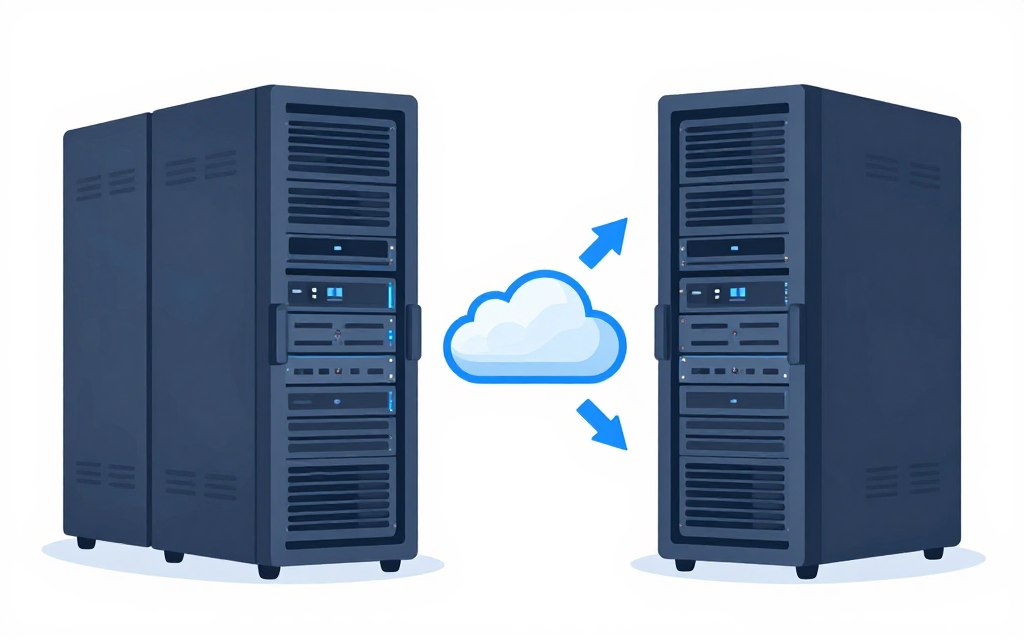
Performance questions to ask
- Does the workload need steady capacity or sudden bursts?
- Does it require special processors, low latency, or local processing?
- Can the application use distributed systems and managed cloud services?
- How much downtime is acceptable during expansion or maintenance?
Security, Compliance, Data Control, and Customization
Security depends on design and operation, not only on location. Cloud providers invest in physical security, monitoring, identity tools, encryption, and resilience. Their scale can give a small organization access to security measures that would be expensive to build alone.
Cloud security follows a shared responsibility model. The provider secures core infrastructure, while the customer protects accounts, permissions, applications, configurations, and data. A careless identity policy can expose a cloud environment even when the provider has strong controls.
On-premise infrastructure gives an organization direct control over hardware, network paths, physical access, and data location. This can support internal rules or sector requirements. Yet direct control also means the company must fund security tools, patching, monitoring, access reviews, and incident response.
Compliance is a design exercise
Review data residency, retention, encryption, audit records, access separation, backup location, and incident reporting. Ask cloud service providers for certifications and contract terms, but do not treat certification as proof that every customer workload is compliant.
On-premise software may be easier to customize for strict processes. Cloud solutions may offer stronger standard controls and faster software updates. The better option depends on the organization’s risk model, staff capability, and required evidence.
Cloud security checks
- Use least-privilege identity policies.
- Encrypt data in transit and at rest.
- Record administrative actions.
- Test backup restoration.
On-premise security checks
- Control physical access to servers.
- Plan patching and hardware replacement.
- Separate critical network zones.
- Maintain tested incident procedures.

Control does not equal safety
Owning hardware provides control, but control creates responsibility. A third-party provider can reduce some operational risks, while also introducing vendor, contract, and access risks that must be managed.
Maintenance, Reliability, Disaster Recovery, and IT Staffing
Cloud services shift much of the maintenance burden to service providers. The provider handles facilities, core servers, and some software updates. Internal teams still manage architecture, permissions, application updates, data quality, and cost controls.
On-premise systems place nearly all maintenance with the organization. Teams must replace failed hardware, apply patches, monitor servers, manage spare parts, and plan capacity. This can work well when experienced staff are already available.
Reliability requires more than an uptime promise. Review service-level terms, support response, maintenance windows, regional design, backup frequency, recovery point objectives, and recovery time objectives.
Disaster recovery differences
A cloud environment can replicate data across zones or regions. It may also provide snapshots, automated backups, and recovery tools. These features still need correct configuration and regular testing.
On-premise disaster recovery often requires a second site, duplicate hardware, secure backups, and a network path between locations. Without those investments, a local incident can affect both production systems and backups.
Staffing is a major part of the choice. Cloud may reduce hardware work but increase the need for architecture, automation, identity, and cost management skills. On-premise systems require hardware, networking, facilities, backup, and security expertise.
Planning rule: Count the people needed to operate the infrastructure at night, during outages, during audits, and when key staff are unavailable.
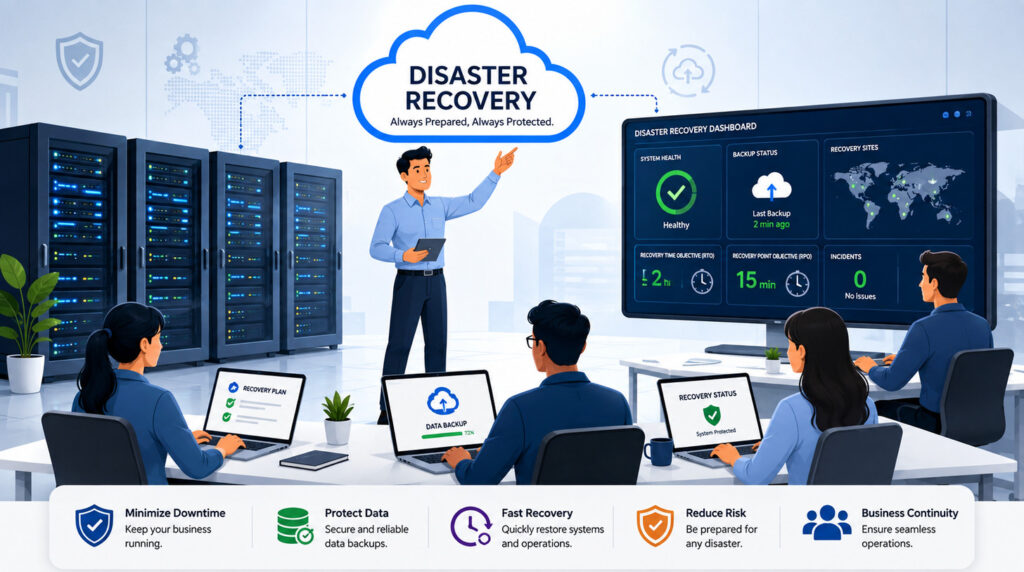
Reliability is an operating process
A resilient design includes monitoring, tested recovery steps, clear ownership, documented dependencies, and regular exercises. The platform alone cannot guarantee continuity.
Which Organizations and Workloads Fit Each Model?
Cloud computing often suits startups, growing companies, distributed teams, digital products, development environments, analytics workloads, and businesses with uncertain demand. It can help teams enter new markets without building local data centers.
Public cloud services are also useful for short-term projects. A company can provision a test environment, run a campaign, process data, and reduce capacity later. The team should still create budgets and shutdown policies.
On-premise infrastructure may suit manufacturers, research institutions, hospitals, government projects, and companies with specialized equipment. It can help when workloads must remain close to machines, when latency is critical, or when existing hardware has useful remaining life.
On-premise systems may also fit businesses with predictable demand and strong internal IT teams. In that case, long-term ownership can be easier to forecast than variable usage charges.
When hybrid cloud makes sense
Hybrid cloud combines local infrastructure with cloud services. A company might keep sensitive records on-premise while using cloud computing for web applications, backup, development, or burst capacity. This approach can support gradual migration and reduce disruption.
Hybrid cloud is not automatically simple. It adds integration, identity, monitoring, network, and governance work. Use it when the business benefit is clear, not merely because it sounds flexible.
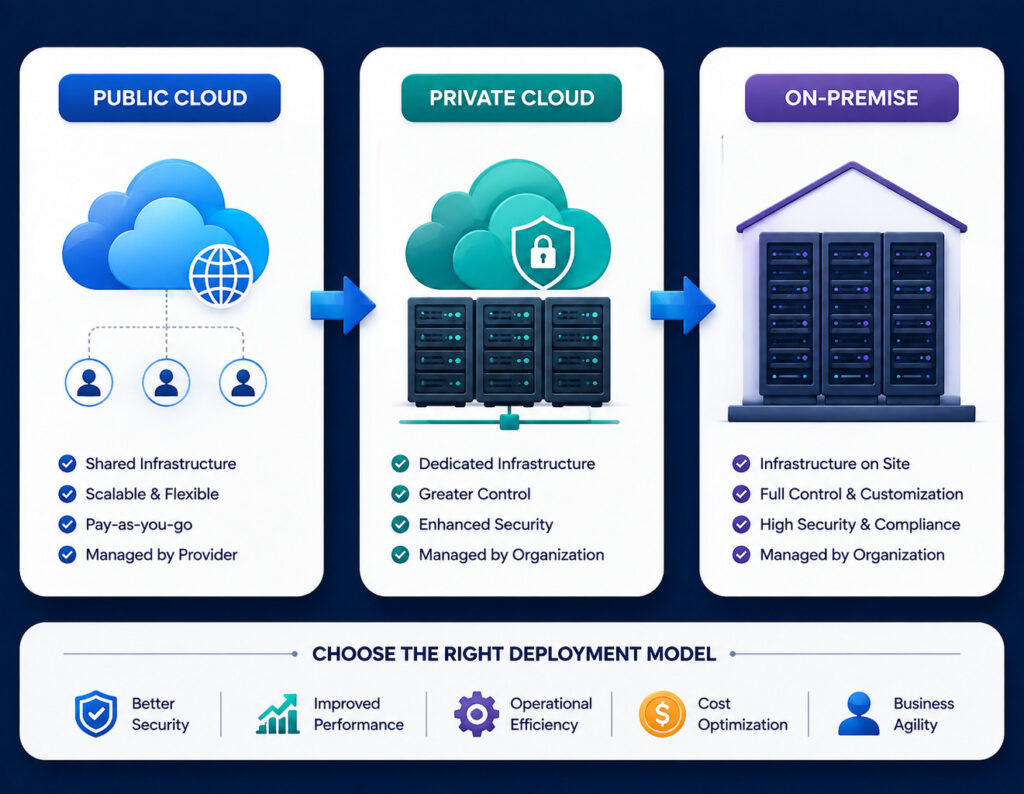
Do not classify the whole business at once
A company can use different models for different workloads. Classify applications, data, latency, compliance, and recovery needs before choosing a platform.
A Practical Infrastructure Decision Framework
Use a weighted scorecard instead of choosing from habit. Include IT, finance, security, legal, operations, and the owners of important business systems. Each group sees a different part of the risk.
- Map workloads. Record applications, users, data volume, integrations, peak demand, latency, and dependencies.
- Set business priorities. Rank speed, control, predictable costs, resilience, compliance, and customization.
- Separate constraints from preferences. A legal requirement is different from a team preference.
- Model total cost. Include hardware, services, maintenance, staffing, security, migration, backup, and exit costs.
- Score operational readiness. Check identity, monitoring, automation, backup, incident response, and vendor management.
- Run a pilot. Test one representative workload, not only an easy demonstration application.
- Review the exit plan. Document data export, contract terms, portability, and what happens if the provider or architecture changes.
Suggested scoring questions
- How quickly must capacity change?
- What happens if the workload is unavailable for four hours?
- Which data must stay in a specific location?
- Can the team operate the platform with current skills?
- What is the acceptable monthly cost range?
- How difficult would it be to move the workload later?
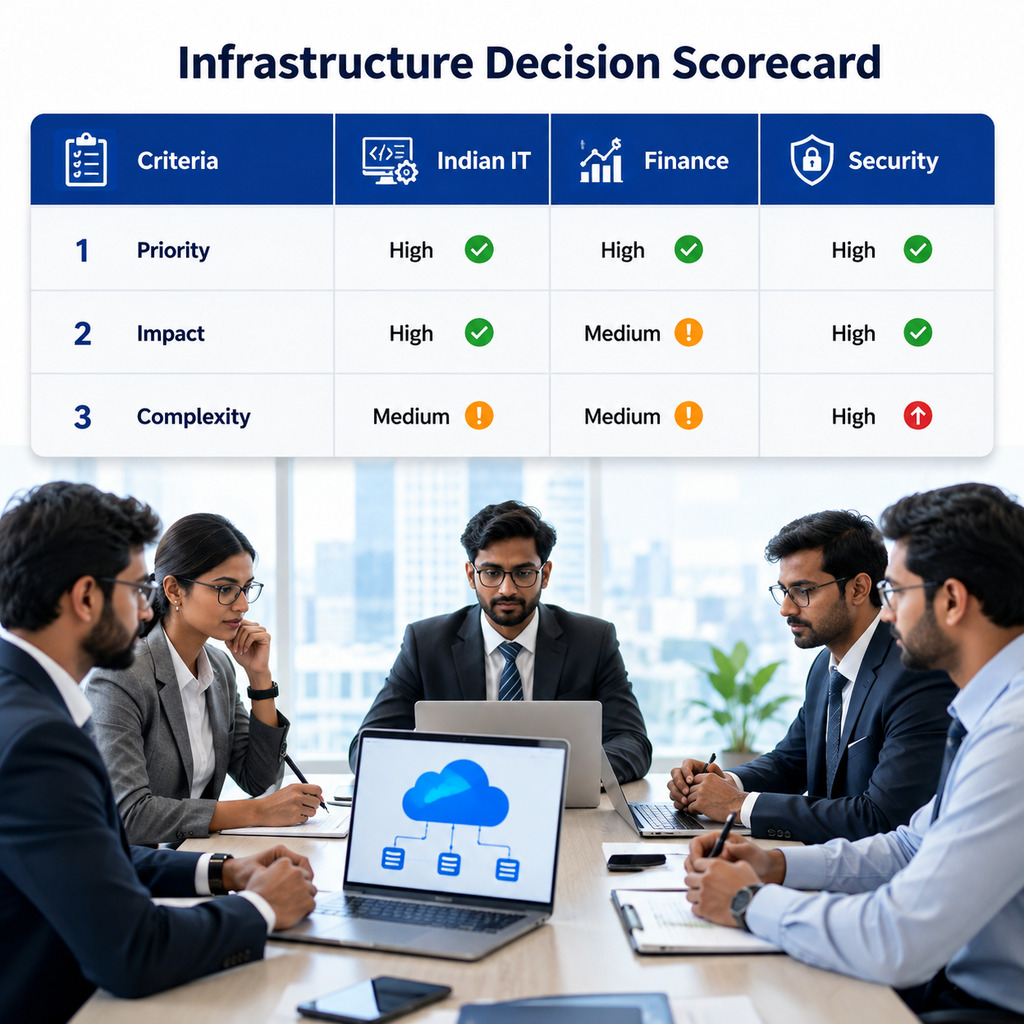
Make the decision auditable
Save assumptions, scores, cost estimates, pilot results, and approval notes. An auditable process makes later reviews easier when business needs change.
Migration Considerations and Common Misconceptions
Migration is not only a server move. It can affect application design, data models, access policies, contracts, support processes, and user behavior. Start with discovery. Identify dependencies before selecting a migration method.
Plan migration in controlled stages
- Inventory systems, software versions, data, users, and integrations.
- Classify workloads by risk, value, complexity, and business criticality.
- Choose rehost, replatform, refactor, retain, replace, or retire for each workload.
- Test performance, security, backup, access, and recovery before cutover.
- Run a rollback exercise and define who can approve the final change.
Misconception: cloud is always cheaper
Cloud can lower upfront costs and reduce some maintenance. It can cost more when resources run continuously without control, data transfer is large, or premium managed services are overused.
Misconception: on-premise is always more secure
On-premise systems provide direct control, but security depends on patching, access management, monitoring, physical protection, and skilled staff. A well-managed cloud service may provide stronger baseline controls than a small local team can build.
Misconception: hybrid removes every risk
Hybrid cloud can balance control and flexibility. It can also create more network paths, identity rules, contracts, and monitoring points. Its value should be measured against that added complexity.
Migration warning: Do not approve a platform change until the organization has tested data recovery, access control, application performance, and a realistic rollback plan.
Recommendations, CTA Design, and Final Choice
Start with business needs rather than platform loyalty. Cloud computing is a strong choice when the organization values fast delivery, elastic capacity, managed infrastructure, and access to broad cloud solutions. On-premise infrastructure is a strong choice when local control, specialized hardware, predictable demand, or deep customization are central.
Use hybrid cloud when the organization has a clear reason to divide workloads. Keep data and systems local when the need is proven. Use public cloud services for variable workloads, new products, backup, or development when the risk and cost model support it.
Recommended CTA sequence for this article
- Early: Use a soft assessment link after the first decision summary. It captures warm readers without disrupting research.
- Middle: Offer a TCO worksheet after the cost section. This is a useful lead magnet for finance and IT readers.
- Late: Offer a migration review or consultation after security and migration risks are explained.
- Final: Ask qualified readers to submit their workload details. State what the review covers and avoid promising a universal answer.
Final recommendation
Select the model that supports the organization’s highest-priority outcomes at an acceptable total cost and risk level. Reassess the choice as workloads, regulations, providers, and business needs change.
Evidence Checklist for a Defensible Infrastructure Choice
A final recommendation should be supported by evidence, not assumptions. Collect current usage reports, hardware age, software licensing costs, incident records, recovery test results, security findings, and staffing data. Ask each cloud provider for clear pricing examples and service limitations.
Test the workload under normal and peak conditions. Measure response time, computing power, storage performance, network delay, backup speed, and recovery results. Include the cost of people who design, monitor, secure, and maintain the systems.
Financial evidence
Build a transparent cost view for both models.
- Usage and growth assumptions
- Hardware replacement dates
- Staff and support costs
Technical evidence
Test whether the platform meets workload needs.
- Latency and performance
- Integration dependencies
- Backup and recovery results
Risk evidence
Document security, compliance, and provider exposure.
- Data location and access
- Contract and exit terms
- Incident response ownership
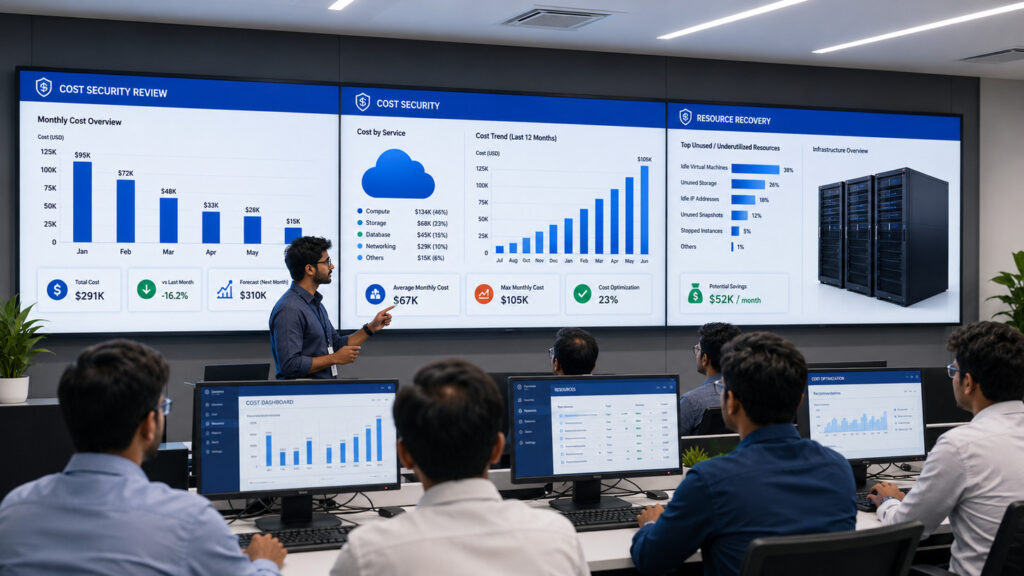
Use evidence before commitment
A short pilot and a complete cost model often reveal more than a general cloud-versus-server debate. Record the results and use them to guide the next decision.
Choose the Infrastructure Model That Fits the Work
Cloud computing offers speed, flexibility, and access to managed services. On-premise systems offer control, customization, and local ownership. Private cloud and hybrid cloud can provide useful middle paths, but they also require careful design and capable teams.
Compare the full cost, security duties, performance needs, recovery targets, staffing model, and migration risk. Then test the most important workload before making a broad commitment.
The best choice is not the most popular platform. It is the model that gives your organization dependable systems, sensible control, and sustainable business value.
